Background
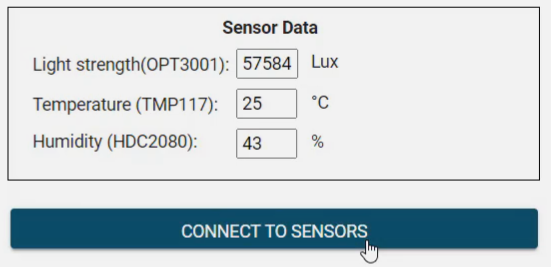
This project showcases how to interface to 3 I2C sensors. The OPT3001 digital light sensor, TMP117 temperature sensor and HDC2080 humidity sensor.
Using these sensors is very efficient. You don’t need to worry about signal conditioning.
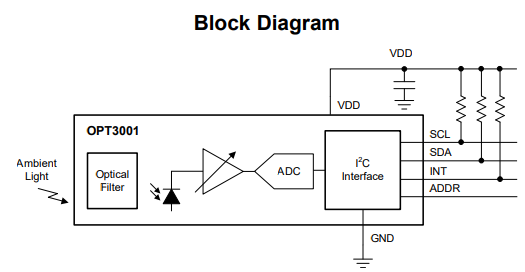
You simply read out the results via I2C. See the block diagram below for the OPT3001
Operation
The I2C address of each sensor is listed below:
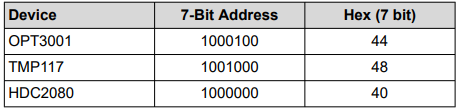
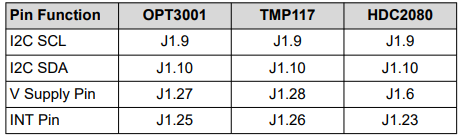
Table 2 lists out the hardware connections
The Code
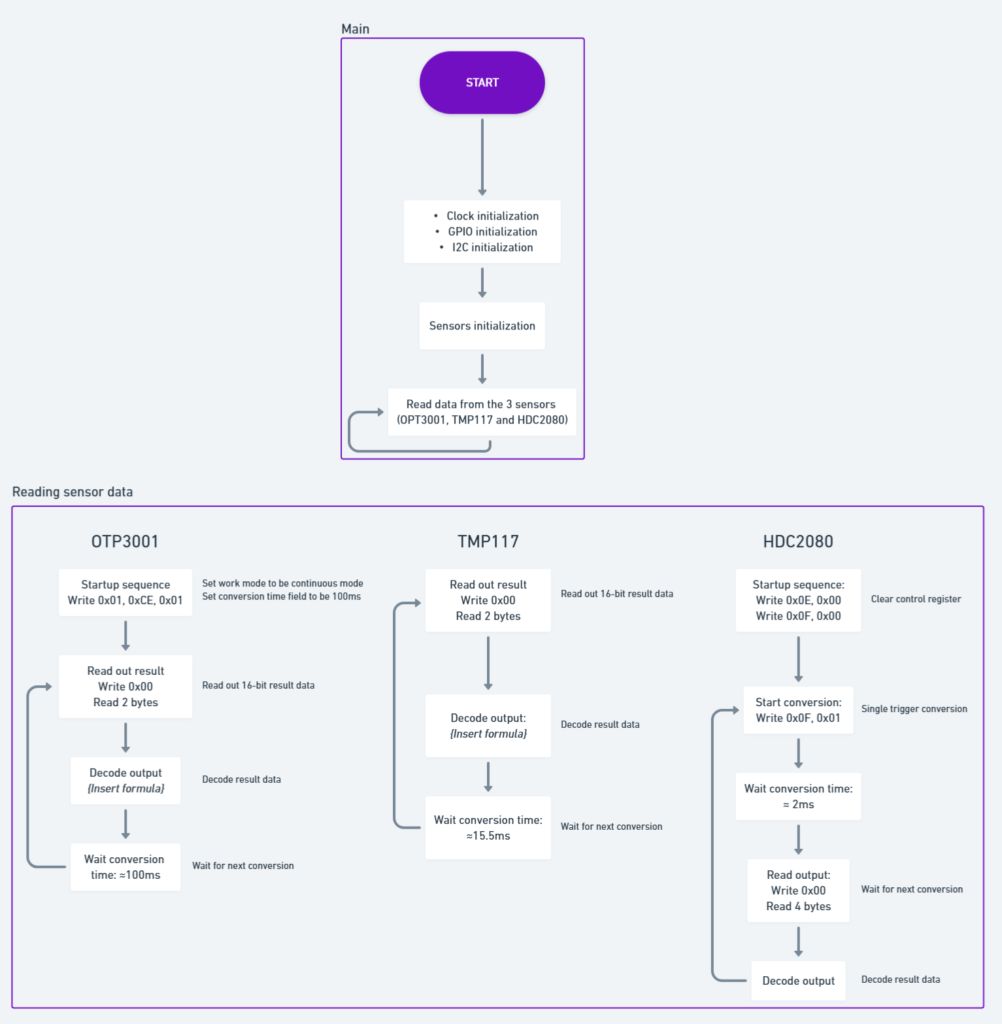
For the code, there is 3 different flowcharts for the 3 different sensors. This is because they have different conversion modes
For the OPT3001 and TMP117, it will operate in continuous conversion mode. The resulting data is 16 bits. The first byte is high, the second byte is low.
For the HDC2080, it uses single trigger conversion mode.
The sensor will need to be triggered then the conversion data is ready after 2ms. The conversion data is 2 bytes. First byte high, second is low.
The code has 3 files:
- Main
- I2C
- Source communication
The GUI
The GUI presents the conversion data