Background
This project expands on the functionalities of the RTC module. An external crystal is used
The MCU is in Low-Power Mode (LPM) until an interrupt is generated which updates the calendar. An interrupt will generate when the counter value in the RTC counter overflows at the value set by the user.
In the diagram below, Pin P2.3 detects the tamper event. An interrupt is generated. The MCU wakes up, records the timestamp the enters its LPM.
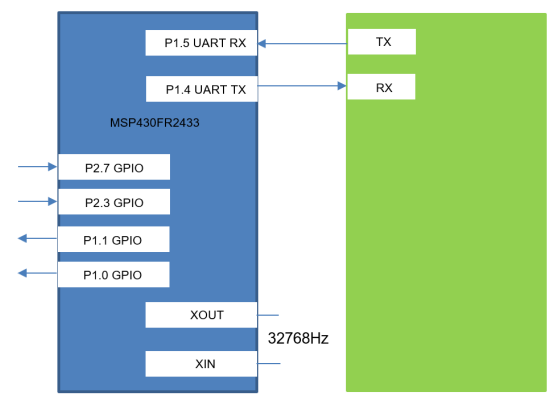
Pin 2.7 is responsible for calendar editable mode. During this state, the LED connected to P1.1 is illuminated and the MCU receives data from the host.
LPM3.5 and LPM4.5 offer the lowest power consumption. In LMP3.5, only modules connected to the RTC LDO are powered.
Code
The program uses the RTC library. It contains functions written in assembly. It can be called in any C program if we include the RTC.h header file.
The Compute Through Power Loss (CTPL) software library is used. This prevents data loss and simplifies the wake-up process.
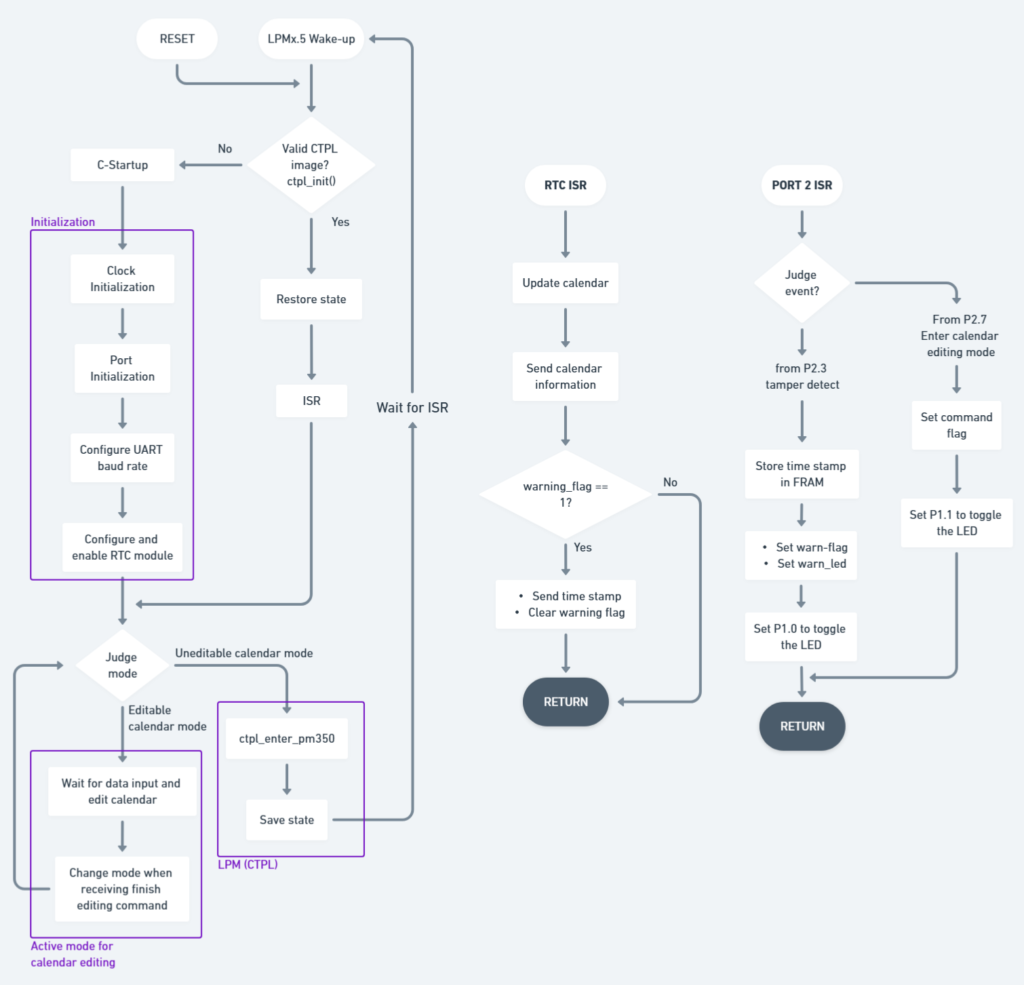
Looking at the main flowchart below, after initialization the program enters un-editable calendar mode. This is a LPM state. The MCU waits for an interrupt.
The RTC module generates an interrupt every second. This updates the calendar and transfers data to the host via UART.
The second interrupt is from Port 2. P2.3 detects tamper events and P2.7 is used to enter calendar editable mode.
The GUI
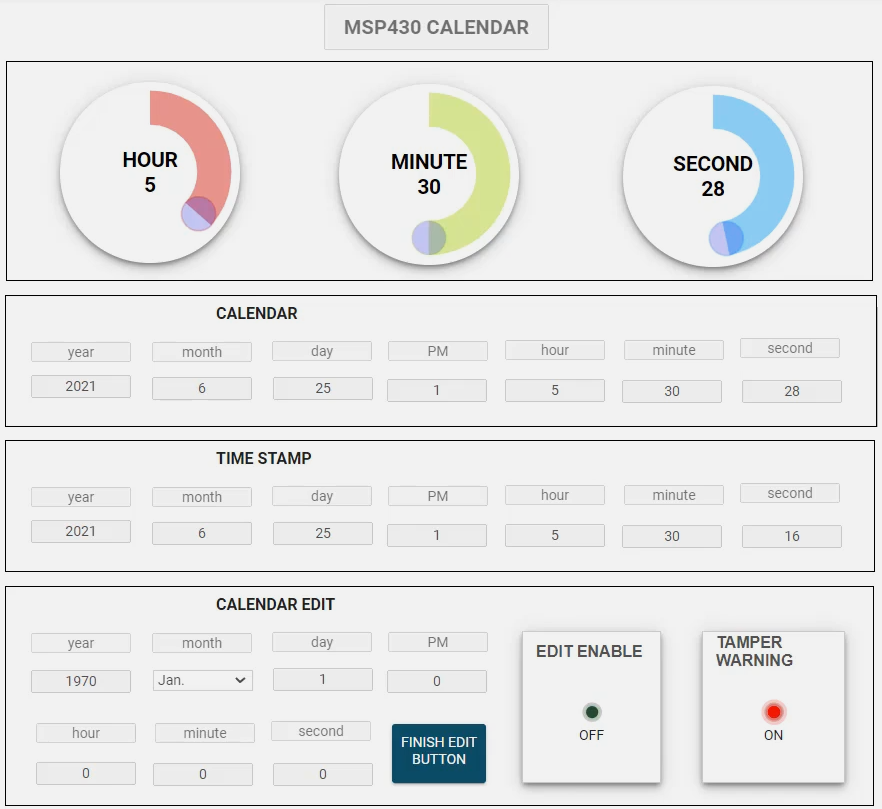
The GUI allows the calendar information to easily be presented to the user. Also, it provides the main UI for the application.
The first row shows the clock information.
The second row conveys the calendar information.
The third row communicates the time stamp when a tamper event occured.
During editable calendar mode, the EDIT ENABLE LED is illuminated and the text boxes become editable. Once the user clicks “FINISH EDIT BUTTON”, the program exits editable calendar mode