Background
The MSP430 can be used to generate a range of frequencies with or without an external oscillator. Using the internal Digitally Controlled Oscillator (DCO) in tandem with the Phase-Locked Loop (PLL), 1MHz, 2MHz, 4MHz, 8MHz or 16MHz can be outputted to a GPIO.
NOTE: For best precision, an external oscillator is recommended
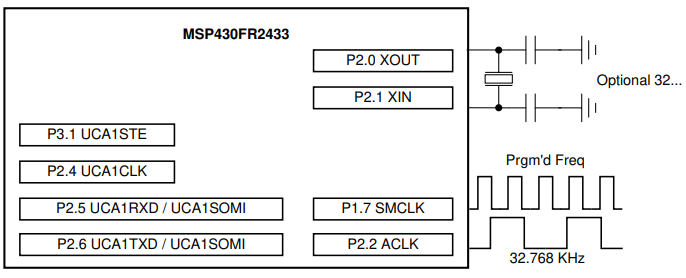
Operation
The default frequency of 1MHz can be altered by adjusting the initialization value of the one-byte command variable.
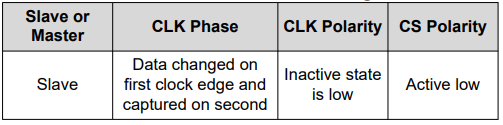
In addition to UART, the program is compatible with SPI via P2.4, P2.5, P2.6 and P3.1.
The GUI
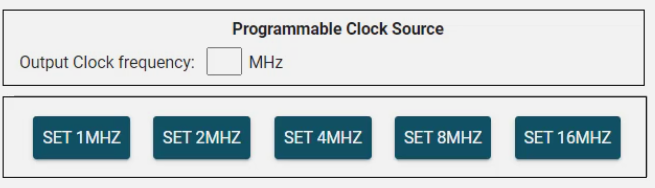
The GUI can be used to set the desired frequency. When a button is pressed, the MSP430 sends a command and will reply if the request was successful.
A baud rate of 4800 is selected with one stop bit and no parity
The Code
A summary is described below:
- Start -> Stop WDT & enable FRAM writes
- Initialize GPIO, clocks, communication
- Configure FLL & DCO for 16MHz
- Enter main loop:
- Wait for command interrupt (LPM0)
- On RX ISR: read byte ->
- If GET: send status
- Else if idle: store new command, flag PROCESSING, exit LPM0
- Else busy: send PROCESSING
- In loop after wake: Command_process() -> set DCO divisors & wait states, send SUCCESS/FAIL
- Return to LPM0