Motivation
In applications which consume many I/O’s (including LEDs, relays, sensors etc.), the MCU may not have enough GPIO’s to accommodate this. In such circumstances, a SPI expander can be used!
This project treats the MSP430 as an SPI expander which will supply 8 additional I/O’s to the host controller.
Operation
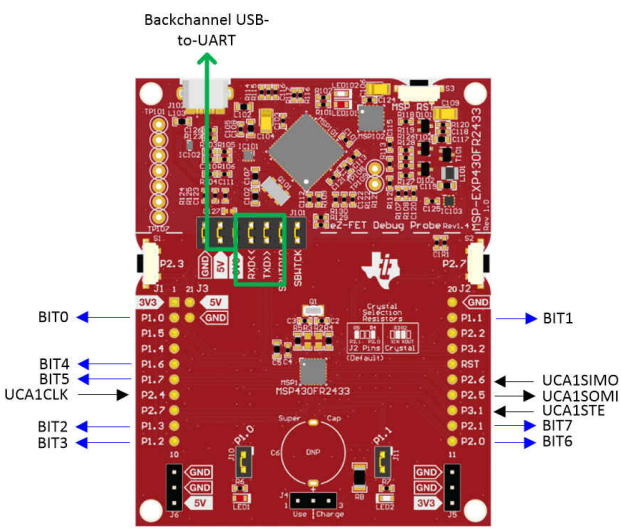
The MSP430 connects to a host controller via the SPI bus (SLCK, MOSI, MISO, CS). See the connections below
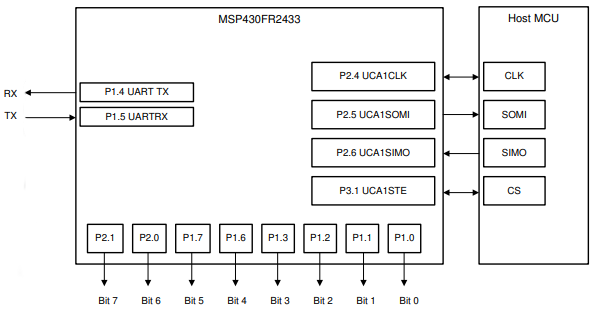
The SPI configuration is:
- 4-pin SPI with CS = LOW
- Inactive state high CLK polarity
- Data changes on the first UCLK edge and is captured on the following edge
- MSB first
- 8-bit character length
Communication begins with a 3-byte message.
First byte = Command
Second byte = Data Index
Third byte = Data value
The MSP430 outputs the data/reads the data from the I/O’s.
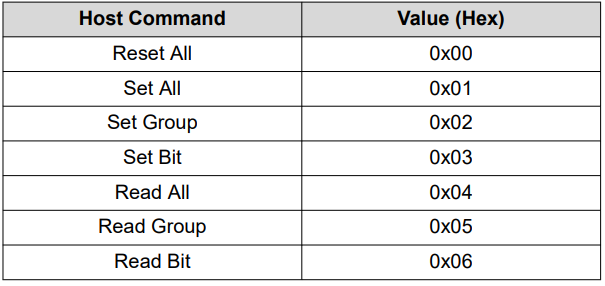
The first byte is command. It communicates what operation should be done. See table 1 below the possible operations:
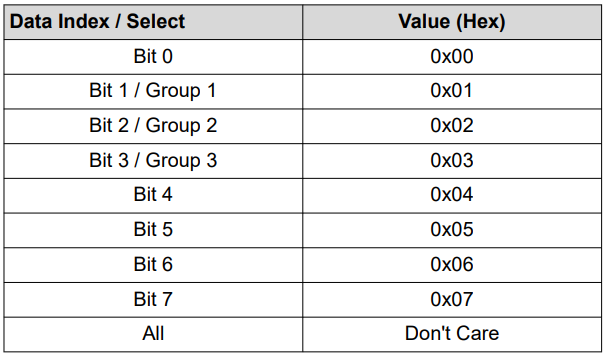
The second byte is data index. It determine which bit/group to read/write to. See table 2 below for the possible operations.
The 8 I/O’s (bits) are grouped into 3 groups. There are 7 possible commands.
Group 1 = Bits 0 – 3
Group 2 = Bits 4 – 5
Group 3 = Bits 6 – 7
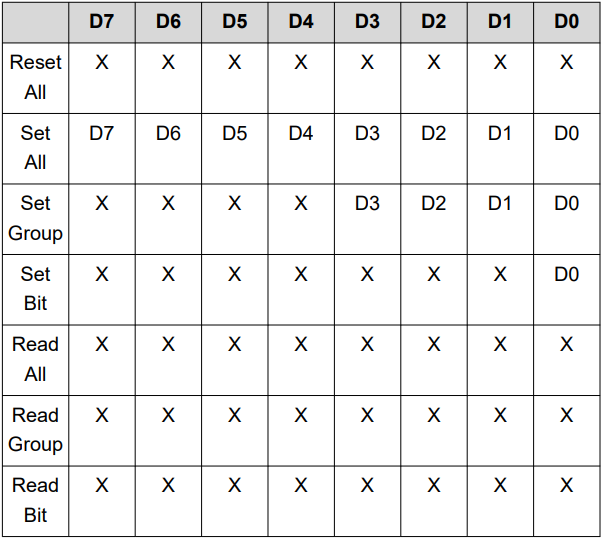
The third byte is data value. It communicates what value to output to the I/O port, group or bit. See table 3 below for possible combinations.
Code
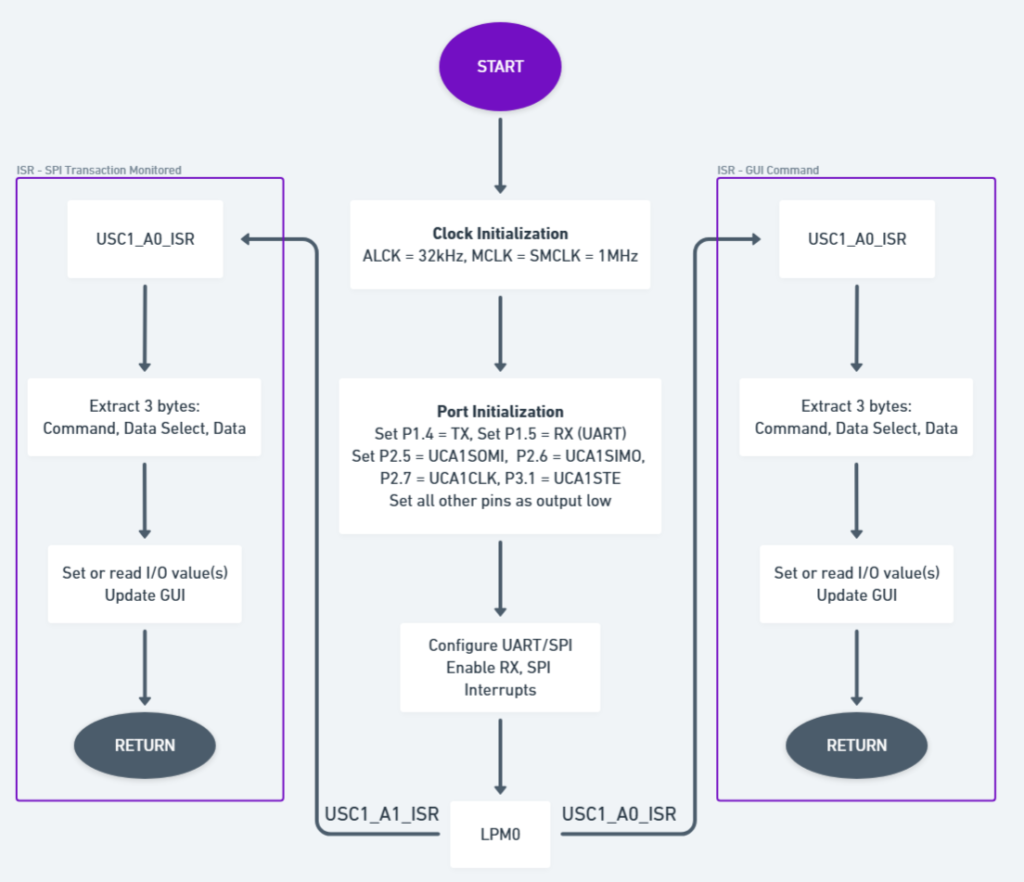
A SPI transaction or GUI command triggers an interrupt to set/read the I/O values and update the GUI
The main program initializes the clock, ports, UART and SPI modules before entering a low-power mode. Then the program waits for one of to interrupt requests.
The first interrupt is a 3-byte SPI transaction from the host MCU
The target device will decode the 3 bytes into the command, data select, and data bytes and then set or read the appropriate values on the 8-bit expanded I/O port. Those values will be updated into the GUI, and the program will return back to low-power mode 0.
The second interrupt is a GUI command
If the target receives a command, it will decode the command, data select, and data bytes entered into the GUI and set or read the appropriate values into the expanded I/O port. Then it will update the GUI and return back to low-power mode 0
The GUI
The GUI can be used to monitor and implement SPI transactions.
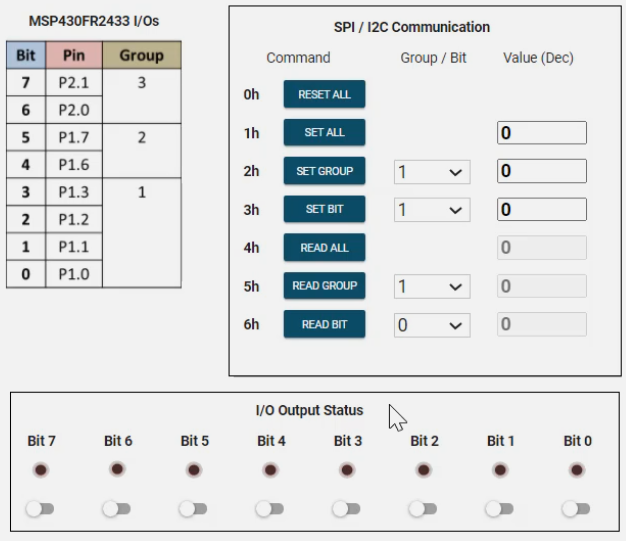
For example, a 3-byte SPI transaction of 0x03, 0x02 and 0x01 will be illustrated. The Set Bit command is selected, Bit 2 is selected and it toggles HIGH. P1.2 will toggle HIGH and the corresponding LED will illuminate. In this case, Bit 2 LED
Also, the I/O’s (being represented by LEDs) can be toggled to set or clear the bits.