Motivation
In applications which consume many I/O’s (including LEDs, relays, sensors etc.), the MCU may not have enough GPIO’s to accommodate this. In such circumstances, an I2C expander can be used!
This project treats the MSP430 as an I2C expander which will supply 8 additional I/O’s to the host controller.
Background
The host controller writes to the MSP430 via the I2C bus. The I2C configuration for the host is:
- Address slave with 7-bit address
- Single master
- 0x48 slave address
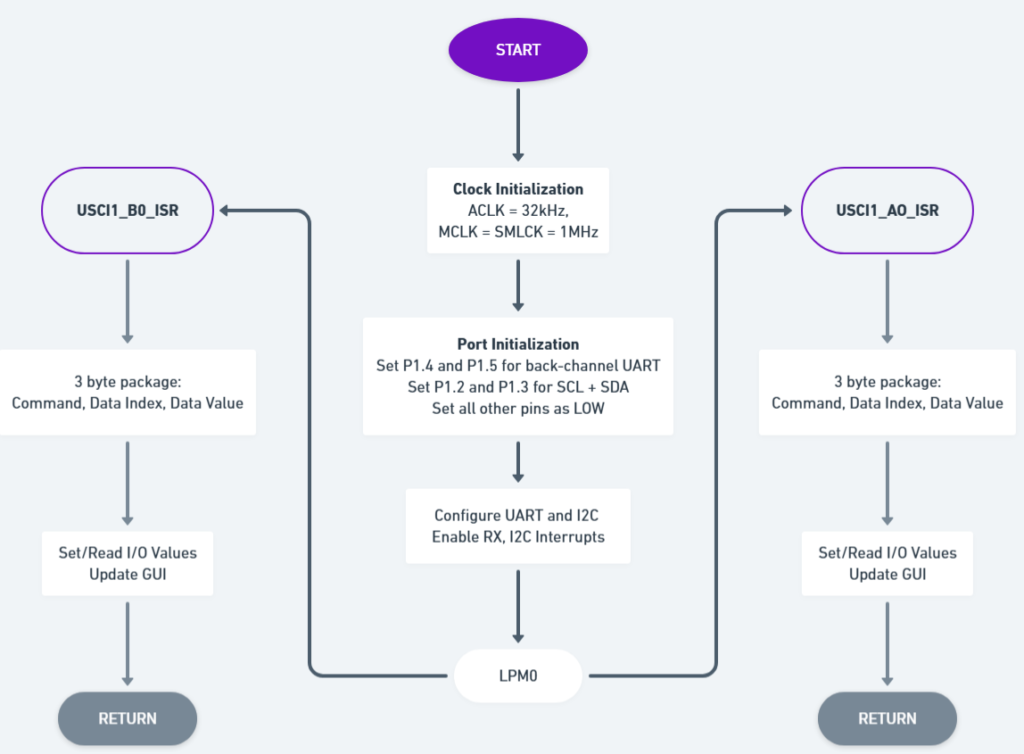
The I2C communicates consists of a 3-byte message.
1st byte = Command
2nd byte = Data index
3rd byte = Data value
The MSP430 outputs the data to/reads the data from the I/O pins
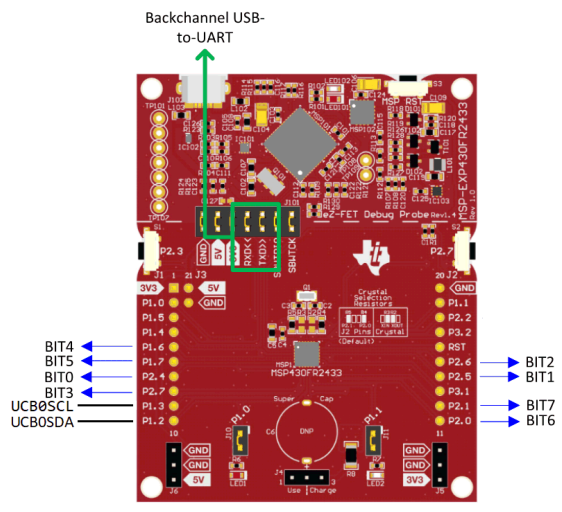
The bit rate is approximately 100 kbps
The Code
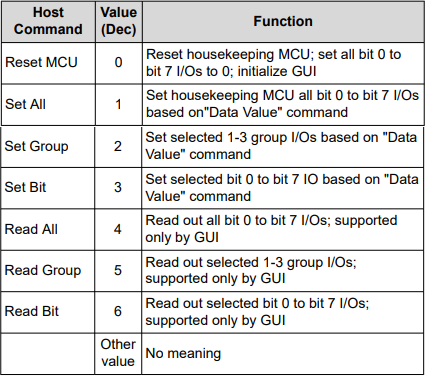
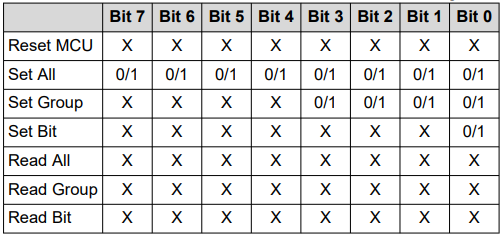
The command byte tells the MSP430 what operation should be performed on the I/O’s. Table 1 below is list of possible actions:
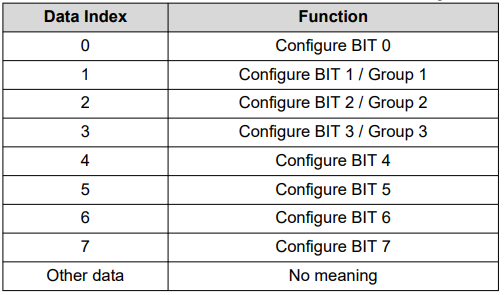
The data index byte determines which group or bit number to write to. Table 2 below lists out the possible actions:
The MSP430 splits the port into 3 groups:
Group 1 = Bits 0-3
Group 2 = Bits 4-5
Group 3 = Bits 6-7
The data value byte contains the 8-bit value to be transmitted to the I/O port, group or bit. Table 3 below lists the possible actions:
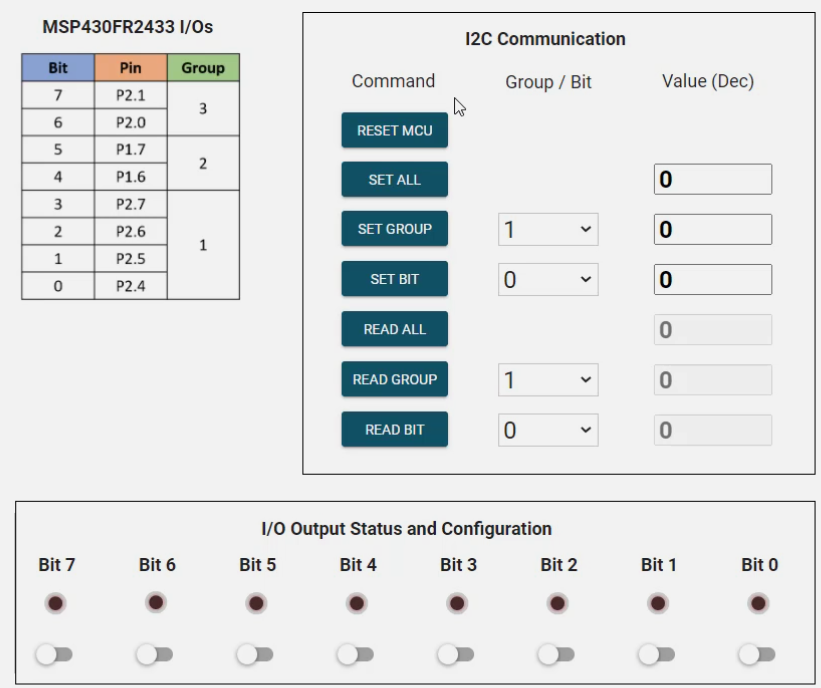
The GUI
The GUI allows the user to monitor the I2C transactions.
E.g. if the 3-byte I2C transaction is 0x03, 0x02, 0x01 then the Set Bit command is executed. Bit 2 is selected and it toggles HIGH. In the GUI, the Set Bit row and Value updates to a 1.
Additionally, all of the commands can be toggled. Also, in the I/O Output Status block, each individual bit can be toggled