Motivation
In critical application such as smoke detectors and fire alarms, system reliability is mandatory. Watchdog timers (WDTs) can be used to notify and reset the MCU when an invalid software state is detected. This can be caused by a EMI or by a software bug. The WDT is continuously serviced until a time period called the timeout period is reached. Once reached, an interrupt is generated. The WDT has an independent clock source for reliability. In this program the timeout period can be adjusted from 1 – 5 seconds.
Background
The MSP430 is connected to a host MCU/processor via UART and P2.7 and P1.1.
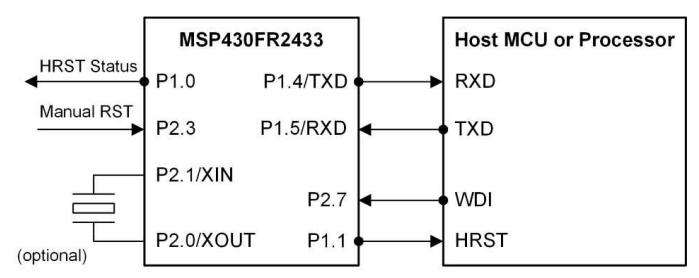
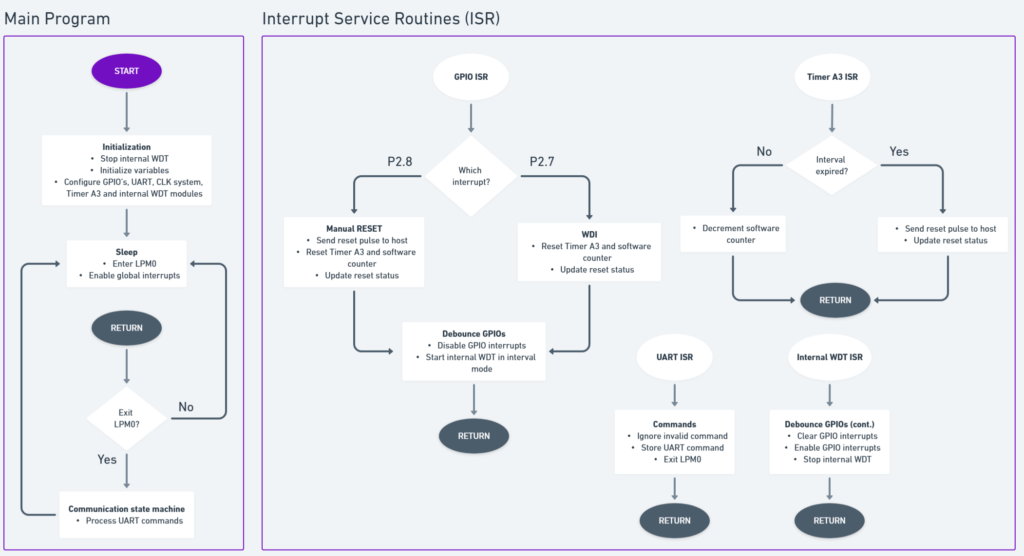
The external WDT uses interrupts to wake up, perform specific functions then re-enter LPM.
When a falling edge signal is applied to P2.3, the external WDT resets the host (via P1.1) and the timeout period restarts.
The WDT is continuously serviced on P2.7 (WDI). The timeout period can be adjusted by varying the DEFAULT_INTERVAL macro.
Code
The internal WDT module is configured as an interval timer.
The Timer A3 repeatedly counts up to 1 second. When paired with the software counter, they are used to count up to the timeout period.
The GUI
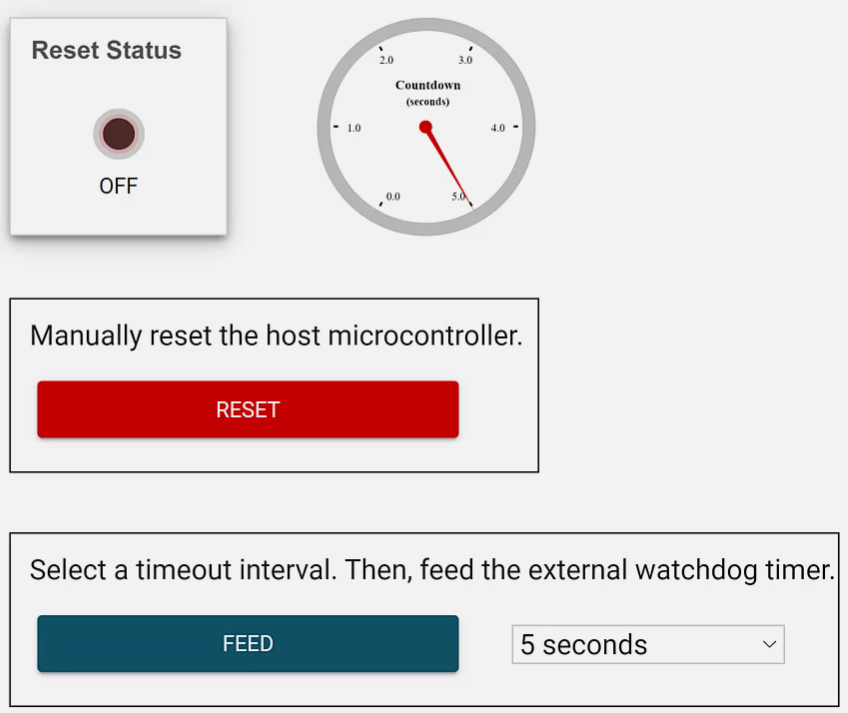
The Reset Status LED is off and the countdown timer begins to decrement from 5 seconds. If it lapses, the Reset Status LED illuminates and the host MCU must be reset. Clicking “FEED” services the WDT, restarting the countdown. The dropdown menu can be used to alter the timeout period.