Motivation
7-segment displays are used in an immense variety of applications such as smart meters, laundry machines, vending machines and billboards to communicate information
Background
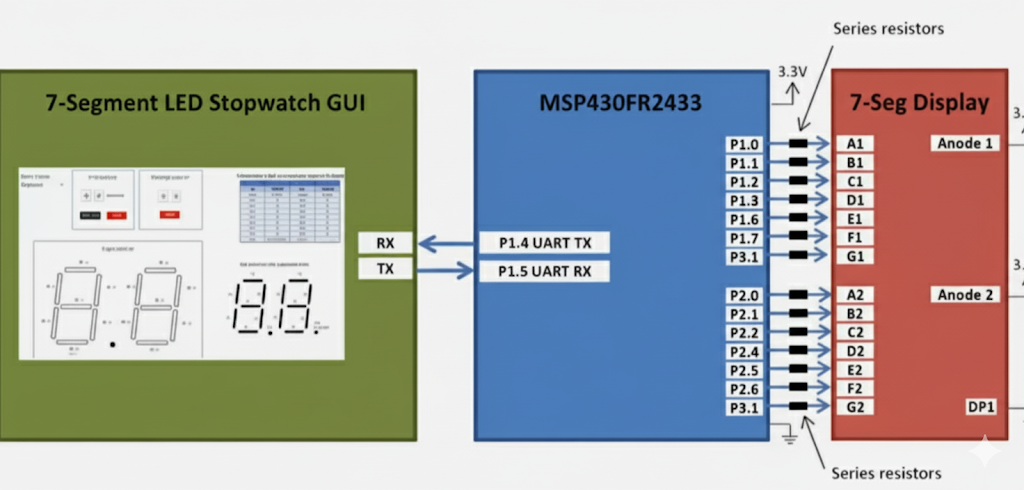
This project uses a a two-digit 7-segment display to implement a stopwatch. The MCU measures the timer using timer A. The LEDs are driven via the GPIOs. The GUI will have two buttons. One to trigger and halt the stopwatch. The other to clear the stopwatch.
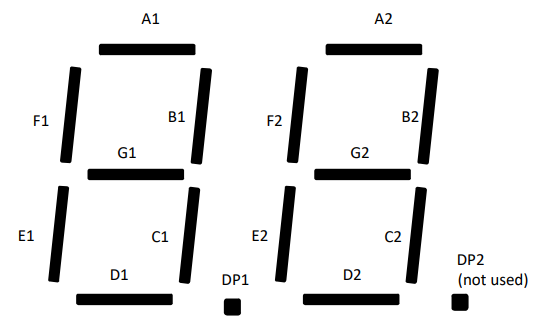
A portion of the program is dedicated to illuminating a particular digit. This requires manually adjusting the individual LED segments. See the figure below:
Introducing the 7-Segment LED Display
This product consists of 7 LED segments which are arranged in a way that communicates a specific number when a particular amount of segments are illuminated.
They come in common-anode or common-cathode. A common-anode display has all the LEDs connected to the supply voltage. Sinking any particular LED will illuminate it.
As the number of digits increases, the number of individual segments and thus pins grows DRASTICALLY. Luckily, modern 7-Segment LED displays are multiplexed or are I2C-compatible.
Therefore, the connections reduce from 14 to 4. A big improvement!
NOTE: Current-limiting resistors are recommended to reduce the power consumption from the onboard 3.3V LDO
Operation
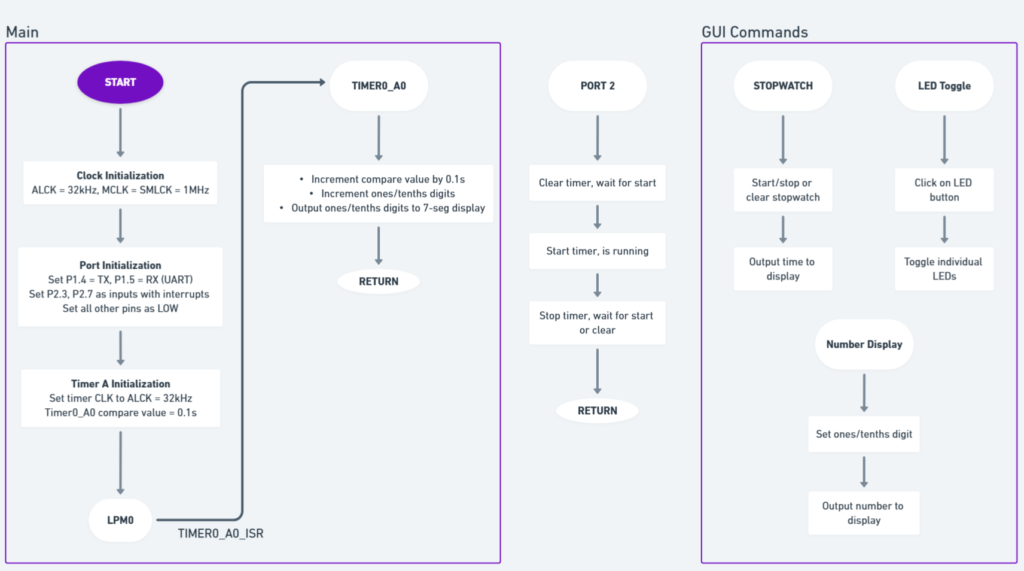
The buttons P2.3 and P2.7 are initialized as inputs. P2.3 is used to start or stop the stopwatch, and P2.7 resets the time to 0.0 seconds.
When the start button is pressed, the START state is enabled. Once in the START state, the timer counts to 9.9 seconds.
When the stop button is pressed, the code goes from the START to the STOP state. The timer can be started again from the current time or reset back to 0.0 seconds.
Timer_A0 is initialized to interrupt every 0.1 seconds. When a Timer_A0 interrupt occurs, the current time is incremented and outputted to the 7-segment display. When the Timer_A0 interrupt is inactive, the MSP430FR2433 enters a low-power mode.
The GUI
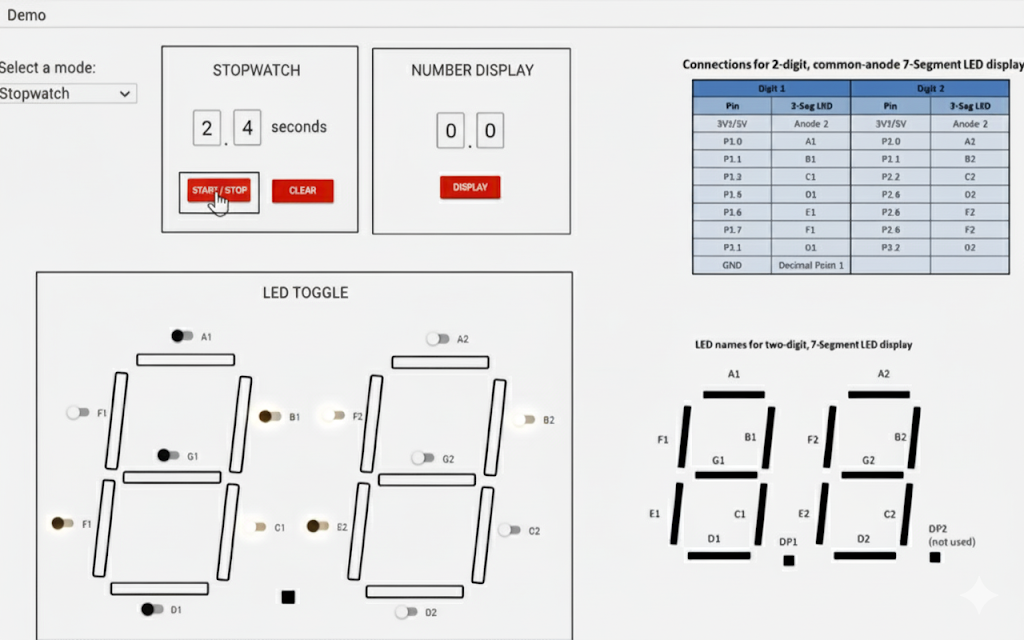
The GUI has three sections:
- Stopwatch
- Number display
- LED toggle
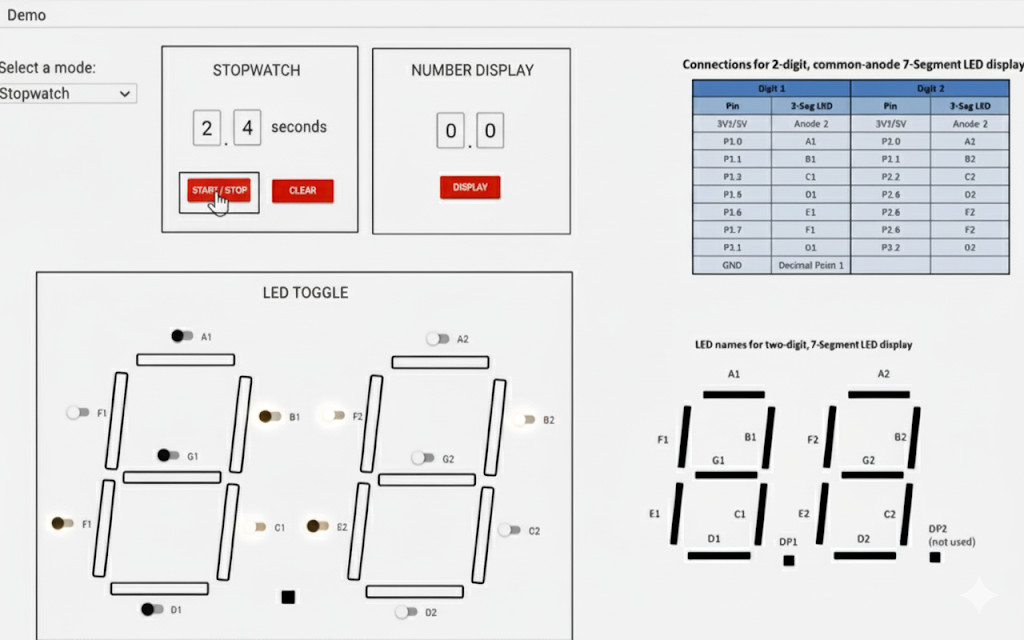
The 1st section is the normal stopwatch functionality.
The 2nd section allows the user to enter a number to get displayed on the 7-segment display.
The 3rd section allows the user to toggle the individual LED segments on the display. This opens the door to custom characters.
The Code
You can configure the count to prematurely stop counting. E.g. in this program, TA0CCR0 = 3268; This gives an interrupt every 0.1s.
The count threshold has a unique duty period