Introduction
Joysticks offer fluid AND precise positional feedback. You’ve seen them in gaming controllers and remote controls. Let’s see how to program one!
The Circuit
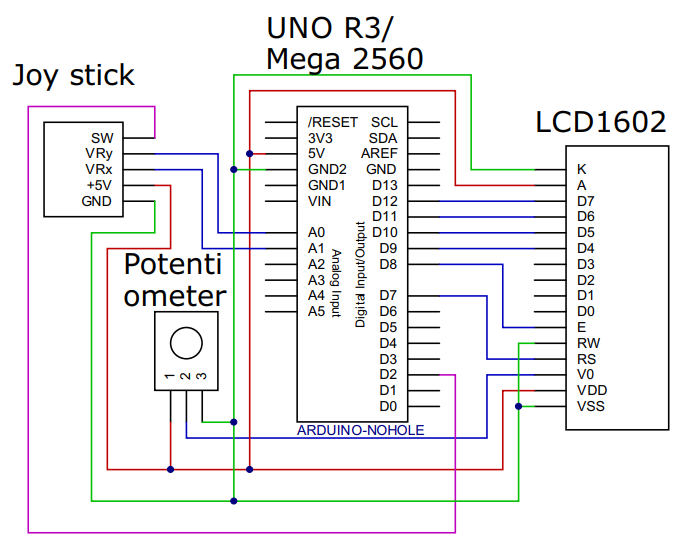
Program Description
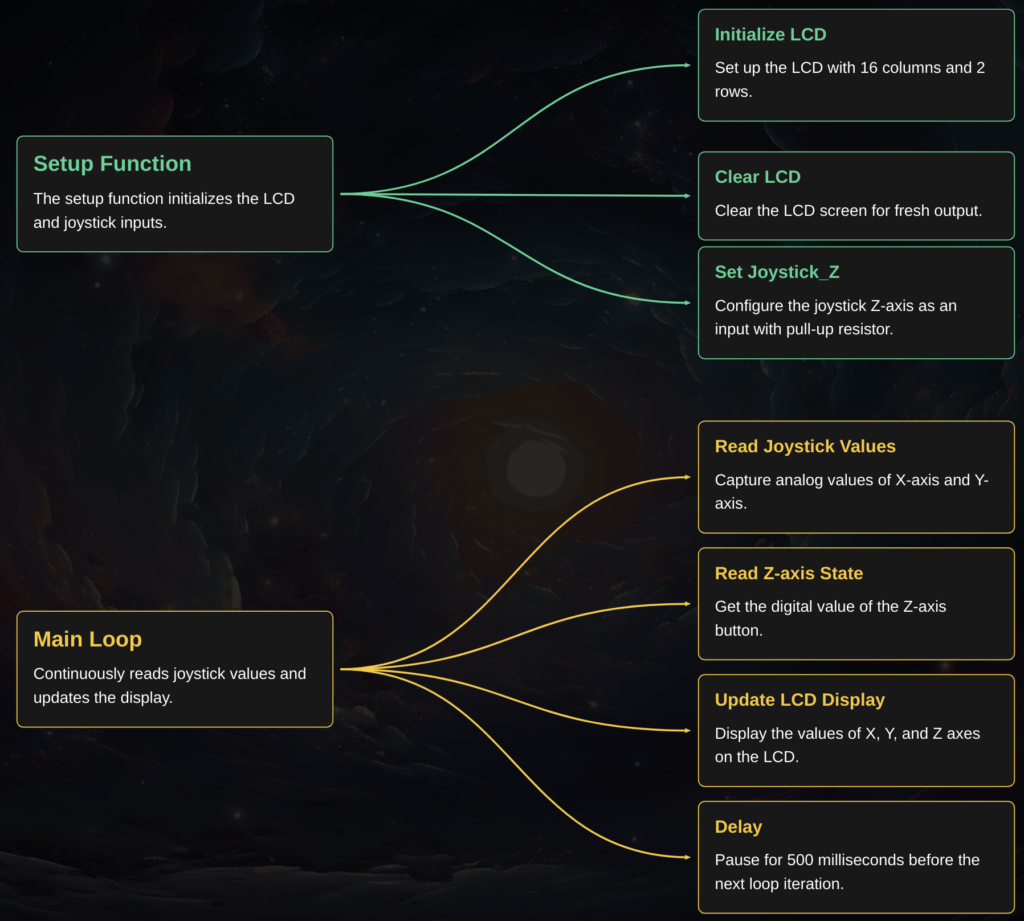
This Arduino program captures data from a joystick and displays it on a 16×2 LCD screen.
It initializes the LCD and the joystick connections in the setup() function.
The main loop() continuously reads the analog X and Y position values from the joystick and the digital Z-axis button state. These values are then broadcasted to the LCD, updates every half second
See the flowchart below for more information