Introduction
LED bar graphs are commonly used in audio level meters and battery charge indicators. It doesn’t provide the most accurate form of monitoring but it’s feasible for simple indication applications.
Schematic
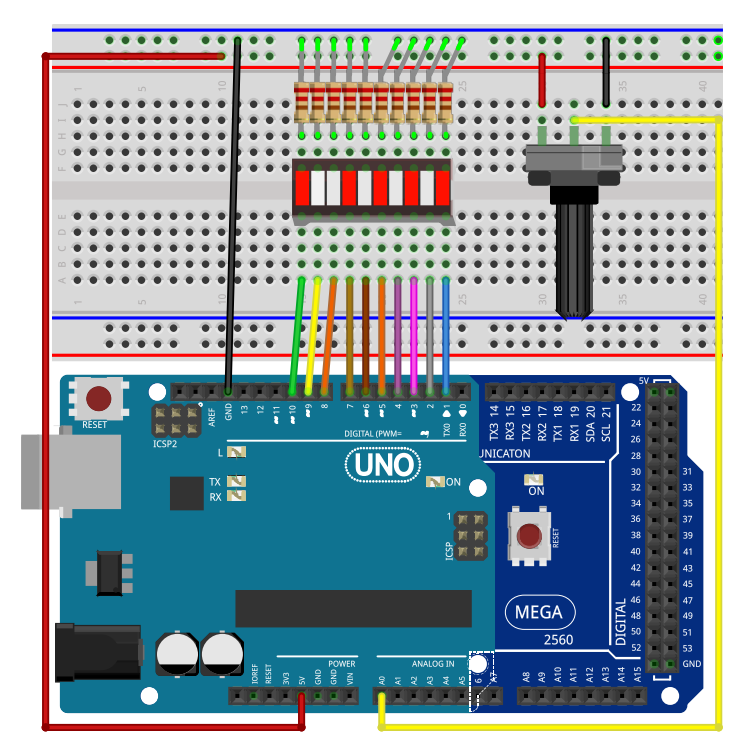
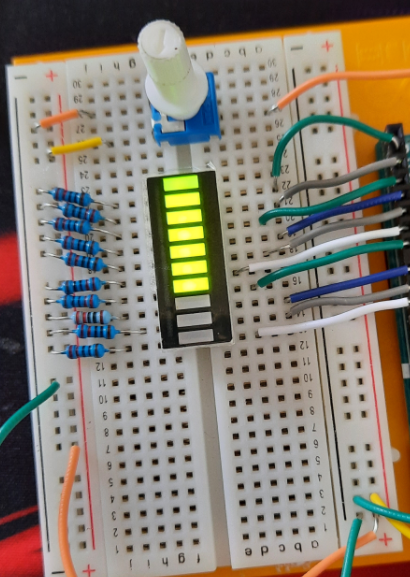
Program Description
This Arduino program controls an LED bar graph based on the resistance value from a connected potentiometer.
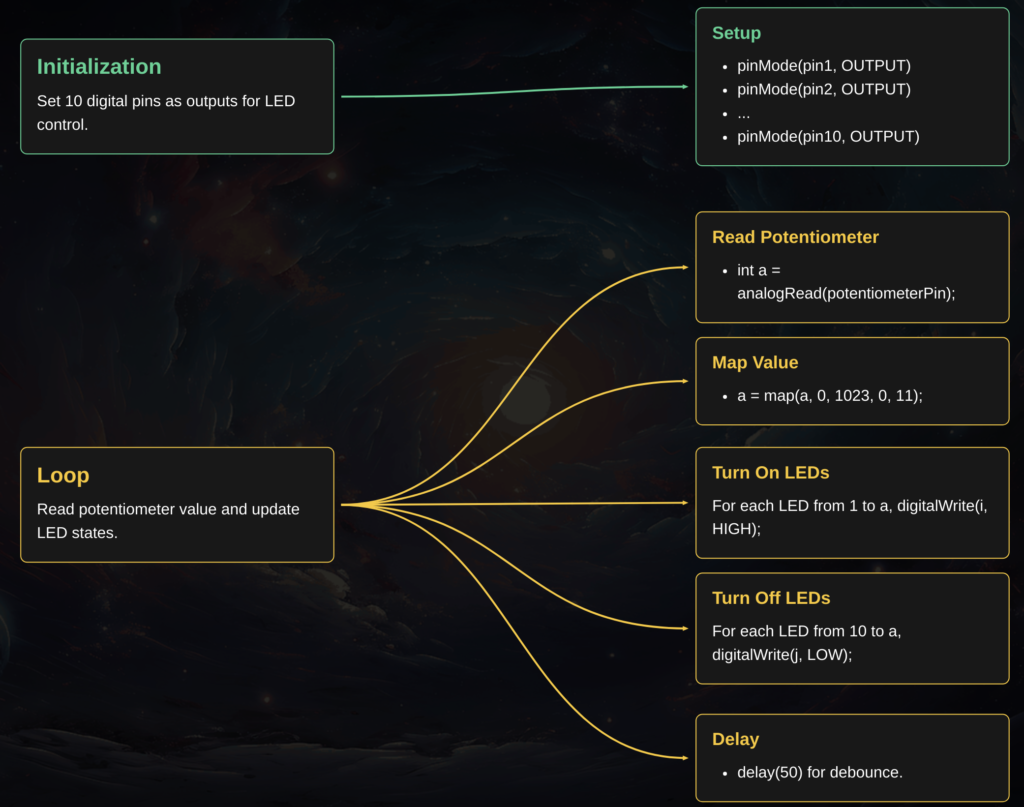
It begins by initializing 10 digital pins as outputs in the setup() function.
In the loop(), it reads the resistance value and maps it to a range from 0 to 11 AND illuminates LEDs based on the potentiometer’s position.
If the value decreases, it turns off the excess LEDs, updating the display every 50 milliseconds.
See the flowchart below for more information
I had an issue where the LED bar wasn’t working. After an investigation, I realized that the issue was I had 2 different programs with slightly different layouts. After harmonizing the code, it worked!
Witnessing the LED bars illuminate up and down in-real-life is such a visceral and immersive experience ! You can simulate all day long but nothing beats actually seeing your project come to life and function before your eyes.