Introduction
Dot-matrix displays are the building blocks of the GIGANTIC LED message boards you see in stadiums and advertising signs.
Lets see how to use one.
The Circuit

Program Description
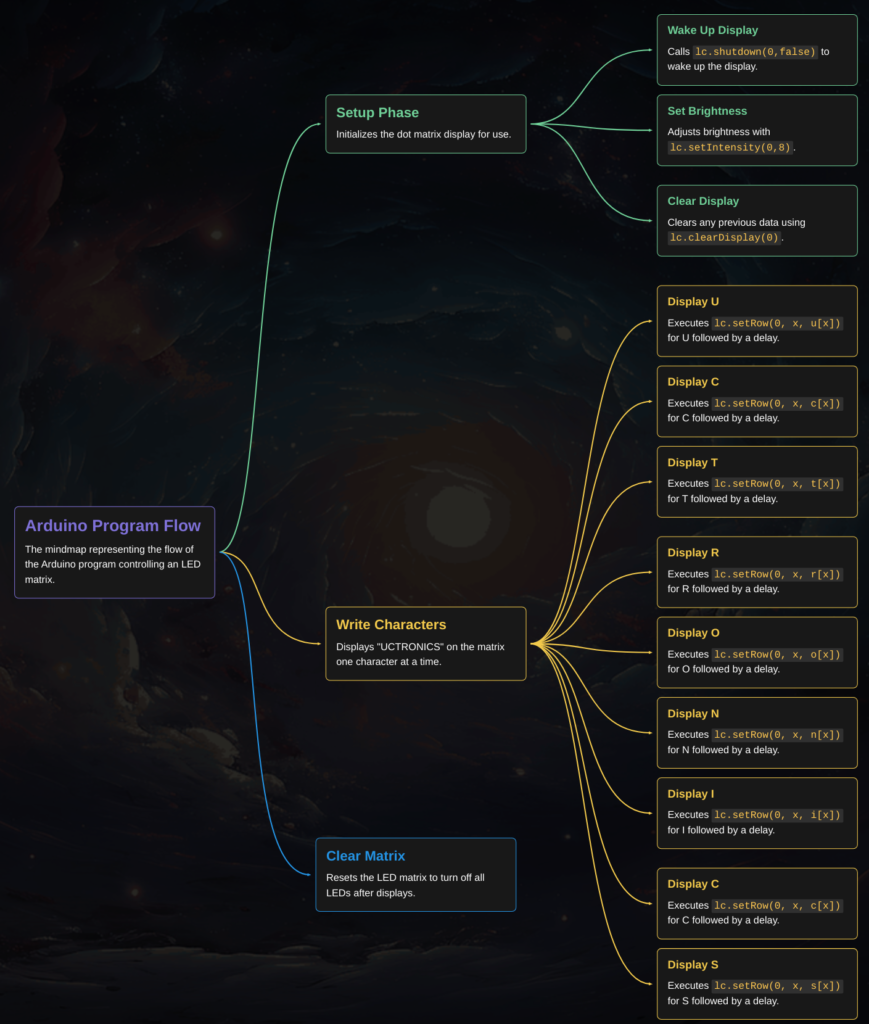
This program controls an 8×8 dot-matrix display to sequentially show the characters that form the word “UCTRONICS”. I.e. U, C, T, R etc.
In the setup phase, it initializes the display by waking it up and setting the brightness.
The main functionality, found in the writeArduinoOnMatrix function, displays each character one after the other with a 1-second delay between each one.
At the end of the display sequence, the matrix is cleared, ready to either repeat the display or shut down.
See the flowchart below for more information: