Background
Have you ever wanted your voltmeter to speak to you?
No.
…
This is awkward.
If you do then, you’re in the right place.
This project stores compressed speech in flash using DPCM, uses a timer interrupt to operate the DPCM decoder at a certain sampling rate, reconstructs the audio sample by sample then outputs it via PWM then through a RC filter, producing analog sound.
Also, we’ll learn about flash memory, memory addresses and pointers along the way.
We’ll measure a voltage then transmit the value via a speaker.
avrdude: 16092 bytes of flash written
This project uses 16kB of flash. ATMega328p has 32kb of flash memory.
The Theory
Using Flash Memory
Flash program memory is suitable for storing data that doesn’t change. Think menu strings, API keys and lookup tables.
So far, we’ve been using USART::printString() to print our UI. The issue is this saves a C-style string lit into RAM. The Atmega328p has 2kB of RAM, meaning we can store 2,048 char’s.
Ideally, we’d want to store it in progmem. This is what progmem_demo_2.c will demonstrate.
This project will store 14kB of audio data in progmem. This exceeds our RAM capacity by 7x!
The avr/pgmspace.h library allows us to write and read to flash.
Memory Addresses
Memory addresses store variables. The variable is a placeholder. The CPU associates a variable with an address. The variable is for your convenience.
To write to flash, you simply add PROGMEM. E.g. const uint16_t my_num PROGMEM = 11;
To read flash, we use pgm_read_byte(). The catch is ****this function accepts the address of a variable or a pointer. Thus, we’re forced to use the & (address-of) operator to access the underlying … address of the variable or pointers.
In progmem_demo_1.c we’ll store a string in PROGMEM and read it out via UART. Go check it out.
NOTE: PROGMEM variables are global. Also, declare them as const since their not expected to change.
Pointers
A pointer is a variable that stores the address (or points to) another variable. It stores the type it points to. Also, the pointer itself has a type.
// Syntax
uint8_t* my_ptr;
// This points to a uint8_t
progmem_demo_2.c shows interacting with pointers. It’s identical to progmem_demo_1.c however we don’t use & operator, rather we pass in a pointer into the function.
Pointers as arguments to functions
So far we’ve been using USART:printString(); let’s replace it with a function that prints a string from PROGMEM. This involves passing a pointer as an argument. Go look at progmem_demo_3.c
However, what if we want to print a type that isn’t a string? progmem_demo_4.c has the answer. In that program, we print an array stored in PROGMEM.
Optional: De-referencing pointers
*my_ptr = 7; We have de-referenced the pointer, accessing the value it points to then re-assigning it like a normal variable. Keep this in mind.
Back to the project: Talking Voltmeter
DPCM stands for Differential Pulse-Code Modulation.
It’s a form of audio compressions that stores the difference between samples rather than the samples themselves. This permits significant reduction in storage. This is relevant since we only have 16kB of flash to work with. This cuts the requirements from 48kB → 12kB.
Raw 8-bit audio at 8kHz = 8000 samples per sec * 1 byte = 8kB/sec. In 2 seconds, you’ve reached your max capacity.
Timer 0 is configured for fast PWM at 21.25kHz. This outputs the audio.
It receives audio samples via Timer 2 which is configured to CTC mode. It triggers an interrupts at 8kHz. This means an audio sample is generate at this frequency. It’s ISR loads the value into OCR0A.
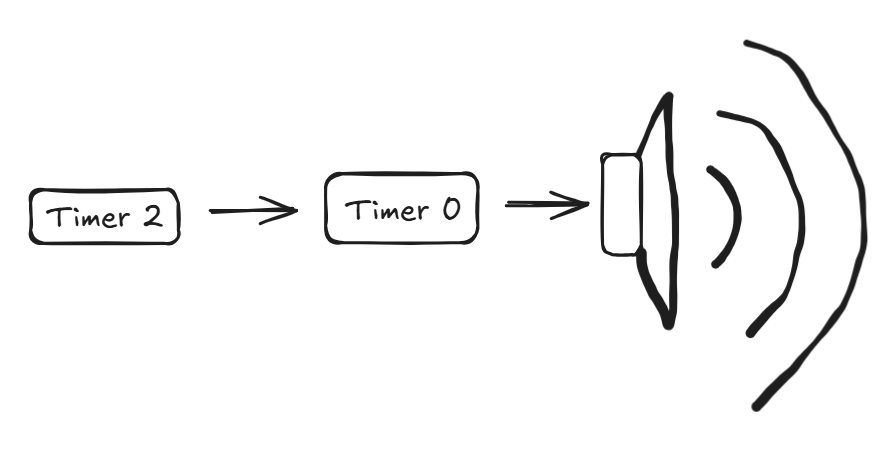
Timer 2’s ISR does the majority of decoding and playing speech samples. unpack_byte() splits a byte into 4 groups of 2 bits. This occurs after we read the sample from PROGMEM.
Hardware Connections
The schematic is available in my GitHub repository.
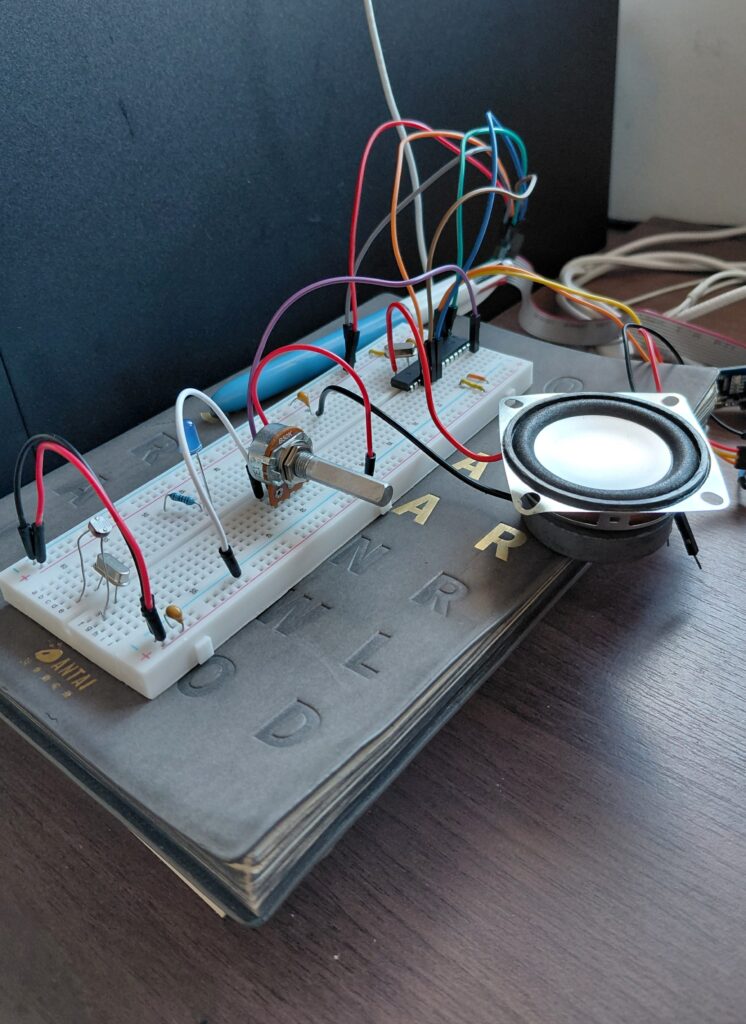
Speaker connected to PD6. Add a 47uF cap in series as a DC-blocking cap to prevent overheating of the speaker.
We’re also measuring the voltage on an ADC, pin PC5 via a potentiometer.
The Software
Full source code available at the GitHub repository. A description of each file is given below.
Helper Files
wave2DPCM.pyconverts the.wavfiles into.hfiles. One for each digit. This is what we will import intomain.c. If you would like custom samples, this is the file to execute.- If you prefer to use standard voices,
allDigits.hcontains the DPCM data for the speech samples. To optimize flash, their not stored as raw 8-bit PCM samples but rather encoded using DPCM.
Main Application Logic
talkingVoltmeter.h
This file contains the speech-generation portion of the project and performs hardware initialization of ADC, timer 0 and time 2. It contains two arrays which are used to access the arrays stored in allDigits.h which are arrays stored in PROGMEM.
We’ll use flash memory to store the speech data. It’s an excellent candidate because the data isn’t going to change and it’s quite large so we can’t store it in RAM
The author stores pointers in an index.
Indexing arrays using arrays of pointers in PROGMEM, table_pointers[]
To use the speech data in allDigits.h, we need a starting address (ptr) and the length of each audio sample. This is the purpose of the 2 arrays in this file.
We have pointers to arrays in PROGMEM which themselves are stored in PROGMEM. This is table_pointers[].
takingVoltmeter.c
This file samples the voltage via the ADC and generates the audio. The later is done by delegating to functions select_table() & speak(), which is cool.
Showcase
If I were to re-visit this project, I would add an audio amplifier to BOOST the volume.